Bench Notes
VPS vs dedicated servers — The crossover point has a number, and you can measure it
You are being asked to justify a server, and every comparison you have read argues from specification sheets rather than from anything running your workload.
The short answer
Read steal time first: if a VPS shows sustained CPU steal and your database is waiting on disk, virtualisation is genuinely costing you and bare metal will return that time — if it is not, a bigger VPS is the cheaper answer and the honest one.
Below: how to measure steal, how to benchmark the disk with something better than a guess, what the network actually gives you on each side, and why utilisation is the figure that decides this rather than core count.
By the HostingFast team · Reviewed 24 August 2026
Free
Migration, done for you
24/7
Engineers on duty
Daily
Backup rhythm
$0
Provisioning fee
Virtualisation overhead is small but never zero, and it is not evenly distributed. Two workloads on identical vCPU counts can behave completely differently depending on how much time the hypervisor gives away and how the disk queue behaves under concurrency.
That makes this a measurement problem rather than an opinion. Three tools settle it: top for steal time, fio for disk behaviour under a realistic queue depth, and your own slow query log for whether any of it reaches the application.
Steal time is the first number to look at
Run top on the VPS and read the st column in the CPU line. That percentage is time the hypervisor took while your process was runnable. A figure that stays near zero means virtualisation is costing you nothing worth moving for. A figure that sits in double digits under load means you are paying for cores you are not receiving.
Sample it under real load, not at rest. Steal is a contention symptom, so it appears at exactly the moments a benchmark run on a quiet Sunday will miss.
Pair it with load average and run-queue length. High steal with a short queue is annoying; high steal with a queue that never drains is the point where the workload has genuinely outgrown a shared hypervisor.
Benchmark the disk the way your database uses it
Sequential throughput is the number vendors quote and the number databases care least about. Use fio with a 4k random read-write profile at a queue depth that matches your concurrency, and read the latency percentiles rather than the average. The 99th percentile is where a slow checkout lives.
Our VPS range ships SSD disk with the option to attach more in seconds. The dedicated Xeon E-2274G is specified with either two 4 TB HDDs or two 960 GB NVMe drives, both configurations ready for RAID, and the NVMe option is the one that changes a database's latency profile rather than its capacity.
Then check whether any of it reaches the application. If MySQL is serving from the InnoDB buffer pool and the working set fits in RAM, disk latency barely appears in your response times and the entire argument is academic for your workload.
Where the network stops being the bottleneck
On the virtual side, every hypervisor sits on a 20 Gbps uplink with more than 1 Tbps of DDoS filtering in front of it. That is rarely the constraint for a web workload, and if you think it is, measure it before you spend.
The Xeon E-2274G is specified at 100 TB a month on a 500 Mbps port with its own dedicated IPv4 address. Note the shape of that: generous transfer, a defined port speed. If your workload is bursty rather than heavy, that trade may not favour metal at all.
Latency to the visitor is a separate axis entirely and is decided by geography, not by tenancy. Our origin is London; the indicative round trip is 5 to 15 milliseconds within the UK and Ireland and 250 to 290 to Australia and New Zealand, and no amount of bare metal changes that arithmetic.
Utilisation, not specification, closes the case
A dedicated machine idling at ten per cent is the most expensive way in hosting to be slow at nothing. Before you sign, work out the utilisation you sustain on the VPS across a normal week and project it onto four cores and eight threads with 32 GB of RAM.
Scaling behaviour differs too. A VPS resizes in minutes; physical hardware changes inside a maintenance window. If your load profile is spiky and unpredictable, elasticity may be worth more to you than the few per cent virtualisation was taking.
The Xeon E-2274G arrives with Hestia pre-installed on AlmaLinux 9, hardware replacement covered, remote reboot and rescue mode available, and a 99.9% uptime guarantee. Moving from shared hosting costs nothing to migrate.
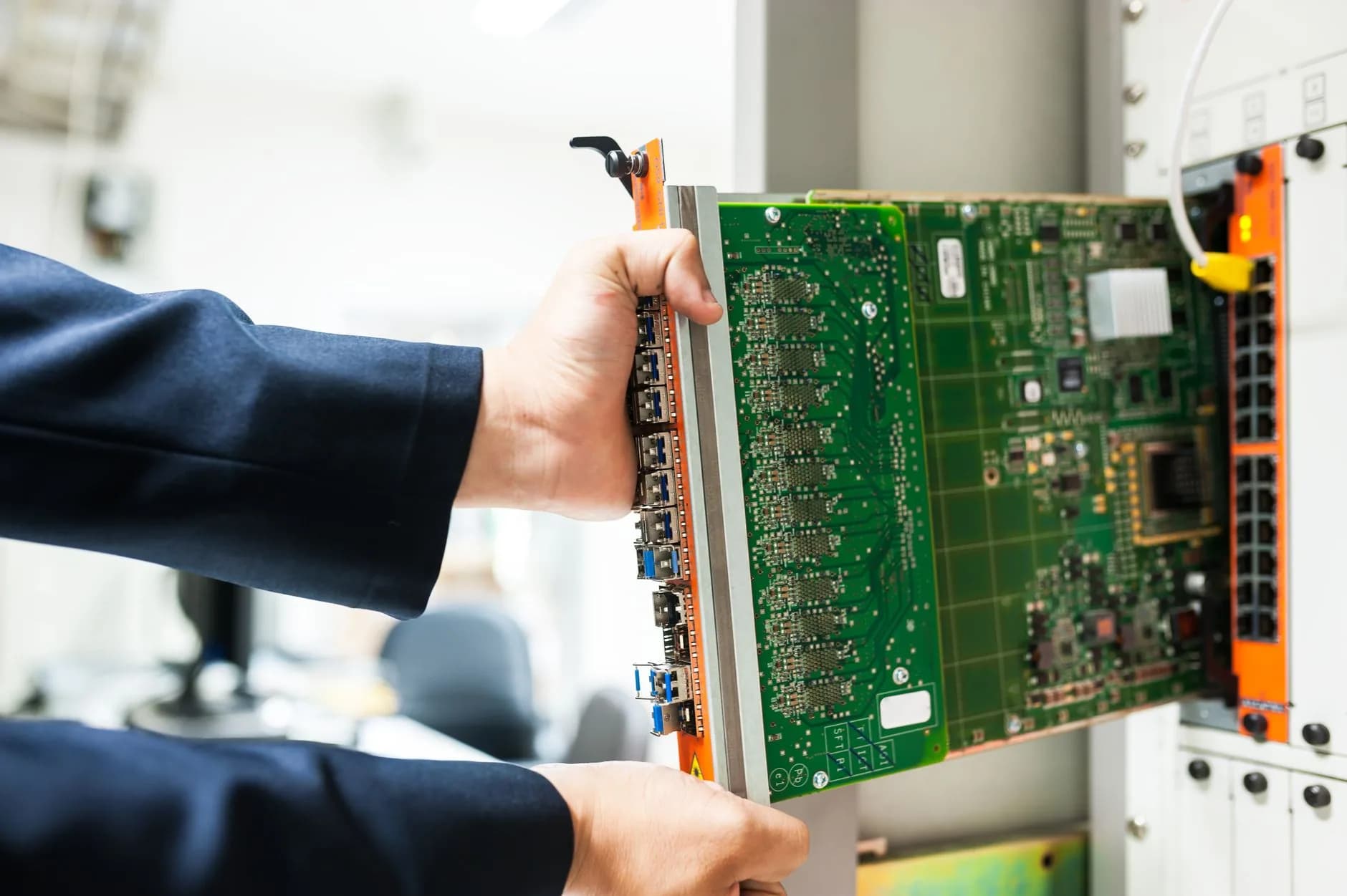
Numbers we would rather you generated yourself
Every claim on this page is one you can reproduce with top, fio and a stopwatch. That is deliberate: a specification sheet is an argument, and a measurement is evidence.
Free SSL, free migration and human support at any hour ride along on both sides of this comparison, so the decision stays about the hardware.
- Steal time, sampled under real load
- fio at your actual queue depth
- Utilisation across a full week
- Latency is geography, not tenancy
Why HostingFast
Standard on every plan
KVM, so the numbers mean something
Full virtualisation rather than containers, which is why steal time is visible to you at all.
NVMe on the metal option
The Xeon E-2274G can be specified with two 960 GB NVMe drives, RAID-ready, for latency-sensitive databases.
Filtering ahead of the uplink
More than 1 Tbps of DDoS filtering in front of hypervisors running a 20 Gbps uplink.
A panel already installed
Hestia ships with the dedicated server on AlmaLinux 9, so routine administration is not a build project.
Resize in minutes, not windows
A VPS changes size while metal changes inside a maintenance slot — worth pricing if your load is spiky.
Migration at no charge
Coming off shared hosting, our engineers move the site across without a fee and without downtime.
Quick Start
From order to online
- 1
Sample steal time under load
Run top during your busiest hour and record the st percentage alongside load average. Near zero means virtualisation is not your problem; sustained double digits with a queue that never drains means it is.
- 2
Run fio, not a throughput test
Use a 4k random read-write profile at your real concurrency and read the 99th-percentile latency. Sequential megabytes per second is the wrong metric for a database and always has been.
- 3
Project your utilisation onto the target
Take a week of CPU and memory usage and map it onto four cores, eight threads and 32 GB. If the projection lands near ten per cent, buy a larger VPS and keep the difference.
Built In
Loaded onto every plan
- KVM virtualisation with full root access on every VPS tier
- 24 Linux and BSD images, with London or Dallas as the region
- Snapshot backups on demand, plus extra SSD disks attached in seconds
- 1 Tbps+ DDoS filtering ahead of a 20 Gbps hypervisor uplink
- Xeon E-2274G bare metal at 4 cores and 8 threads with 32 GB of RAM
- Two drives ready for RAID, HDD or NVMe, with hardware replacement covered
- Remote reboot and rescue mode from the panel, plus a dedicated IPv4 address
- Hestia pre-installed on AlmaLinux 9, other distributions on request
- No setup fee on either side of the comparison
- Free migration from shared hosting, run by our engineers
Frequently Asked
Questions we get asked again and again
How do I measure CPU steal time, and what counts as bad?
Run top and read the st field in the CPU summary line, sampled while the box is genuinely busy. Anything hovering near zero is noise. Sustained double figures during your peak, especially alongside a run queue that does not drain, is the signal that the hypervisor is taking time you are paying for.
Is NVMe on bare metal actually faster for MySQL than virtualised SSD?
On latency under concurrency, usually yes — which is why databases are the first workload most people move. But it only shows up in your response times if the working set does not fit in the InnoDB buffer pool. Check that first: adding RAM is cheaper than changing tenancy.
Which benchmark should I trust before moving a database?
One that replays your own queries. Synthetic tools tell you what the hardware can do; a replay of your slow query log tells you what your application will feel. Use fio for the disk floor and your own traffic for the decision.
What do I inherit when I move to dedicated hardware?
The physical layer becomes your concern: RAID arrays, a failed disk, arranging remote hands. Hardware replacement is covered and rescue mode is available from the panel, and Hestia handles routine administration, but the mental model shifts from renting capacity to running a machine.
Keep reading
Dedicated Servers
Bare metal with the panel pre-installed and the transfer allowance published up front.
WordPress Hosting
Managed WordPress with LiteSpeed, Redis object caching and staging copies included.
Moving to a new host? Read the checklist before you start.
A plain running order for a move nobody browsing the site will notice: what to copy across first, how to carry mailboxes over without dropping one message, when to repoint DNS and not a minute earlier, plus the pair of errors responsible for nearly every outage we get called in to fix.
Bring the numbers, not the spec sheet.
KVM virtual servers or a Xeon on bare metal, both with DDoS filtering in front and no setup fee at either end.
View Dedicated Servers plans